What is a wallet in Oxygen Donuts and why does a streamer need it
A simple explainer for streamers new to crypto: what the Oxygen Donuts wallet is, where donations arrive, why email login is used, and what Oxygen should never ask for.
In short
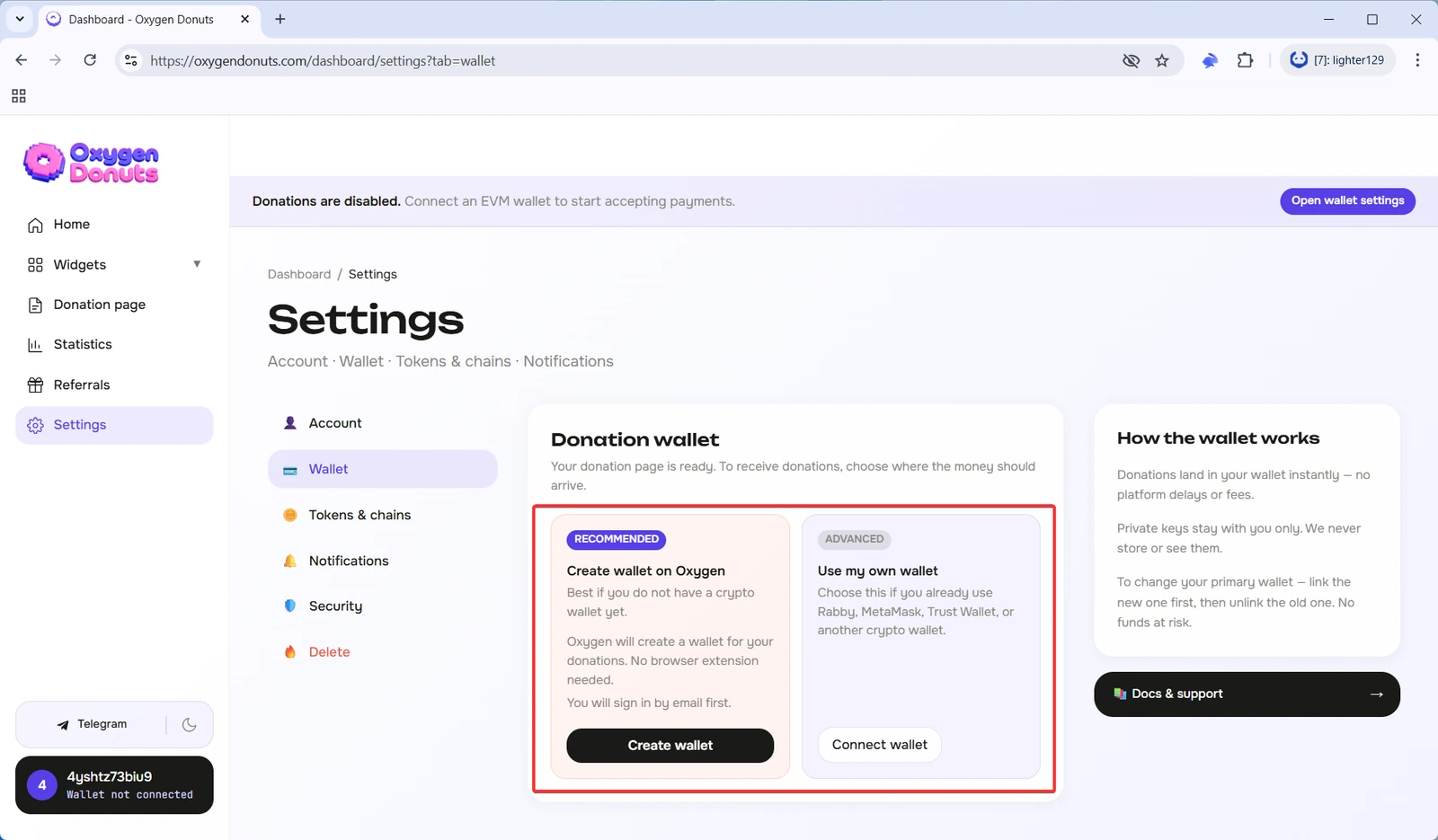
A wallet in Oxygen Donuts is where your crypto donations arrive. In plain language: a viewer sends a donation, Oxygen shows the notification and OBS alert, and the funds arrive in your wallet. If you do not want to install Rabby, MetaMask, or another extension, you can create a wallet directly in Oxygen.
What it is in simple words
Think of it as a separate box for donations. This box has an address. A viewer sends a donation to that address, and Oxygen connects the payment to the streamer page, notification, and on-stream alert. Under the hood it is a crypto wallet, but you do not need to learn every term before the first launch.
How it works step by step
- 1You create a wallet in Oxygen
The wallet is created inside the site, without installing a browser extension.
- 2Oxygen attaches it to your page
After setup, this wallet becomes the address where donations will arrive.
- 3A viewer sends a donation
Oxygen processes the donation, shows the notification, and can display an alert in OBS.
- 4You manage the funds later
Receiving donations does not require extra actions. Sending funds is a separate action for when you need to withdraw or transfer money.
How the wallet is created
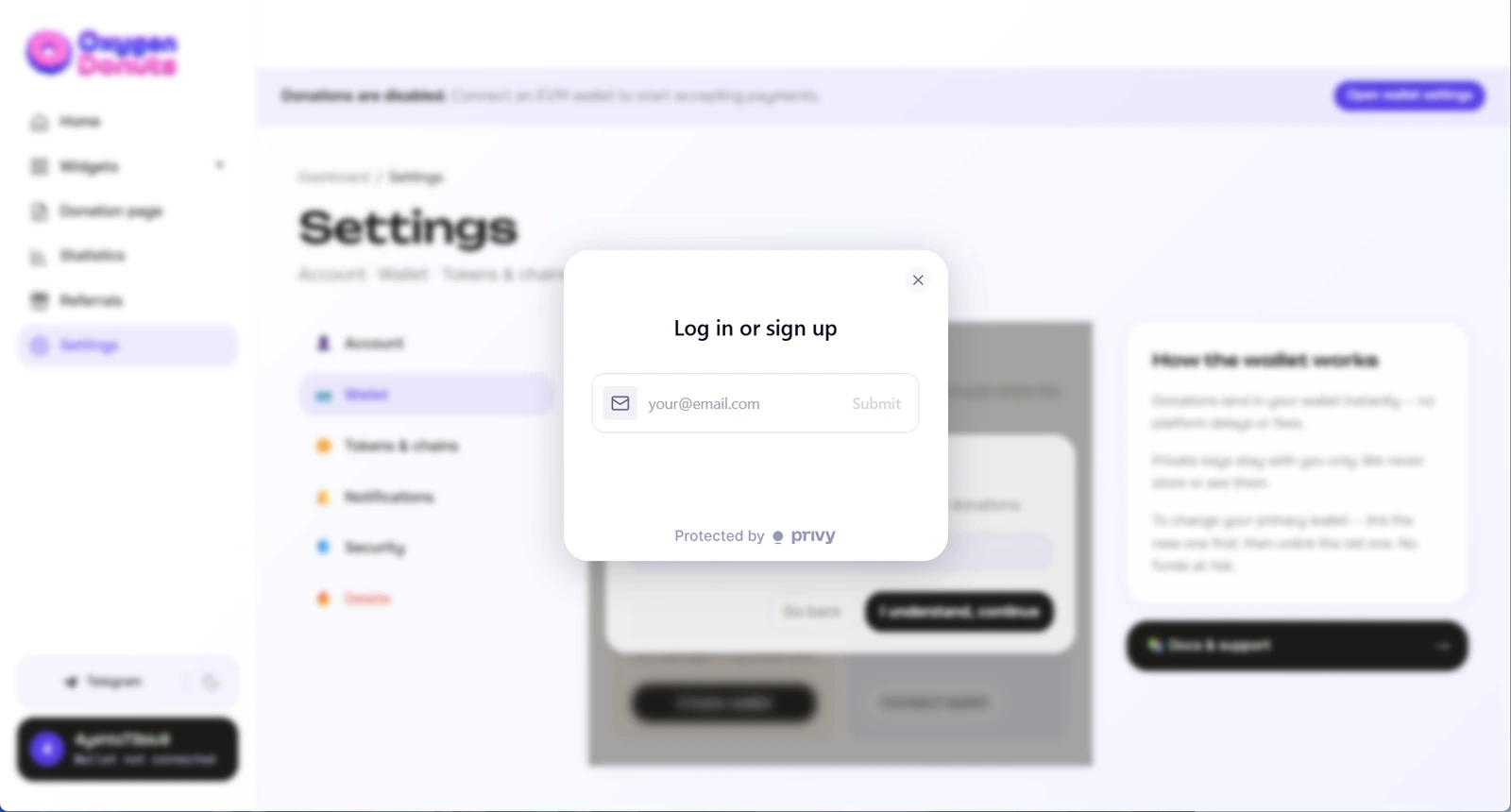
The wallet is created on top of Privy. For you, it looks like a normal email login: you confirm your email, Oxygen creates an embedded EVM wallet, and that wallet can be used for donations. Privy is the technical foundation here, but you do not need to study Privy separately to start.
What you will see during creation
- 1Email login
Privy will ask you to confirm your email. This is a normal sign-in step, similar to registration in other services.
- 2Embedded wallet creation
After confirmation, Oxygen gets an embedded wallet that can be attached to your donation page.
- 3Choice confirmation
Before final registration, carefully check your choice because the payout wallet cannot be replaced after registration.
Why a streamer needs it
| Task | What it means |
|---|---|
| Receive crypto donations | Donations arrive at the wallet address attached to your page. |
| Avoid installing an extension | A beginner does not need to install Rabby or MetaMask before the first donation launch. |
| Sign in by email | The embedded wallet is created through Privy email login. |
| Manage funds | Later, you can check the balance and send funds from the wallet. |
| Show alerts | The wallet receives the donation, while Oxygen connects the donation to the notification and OBS alert. |
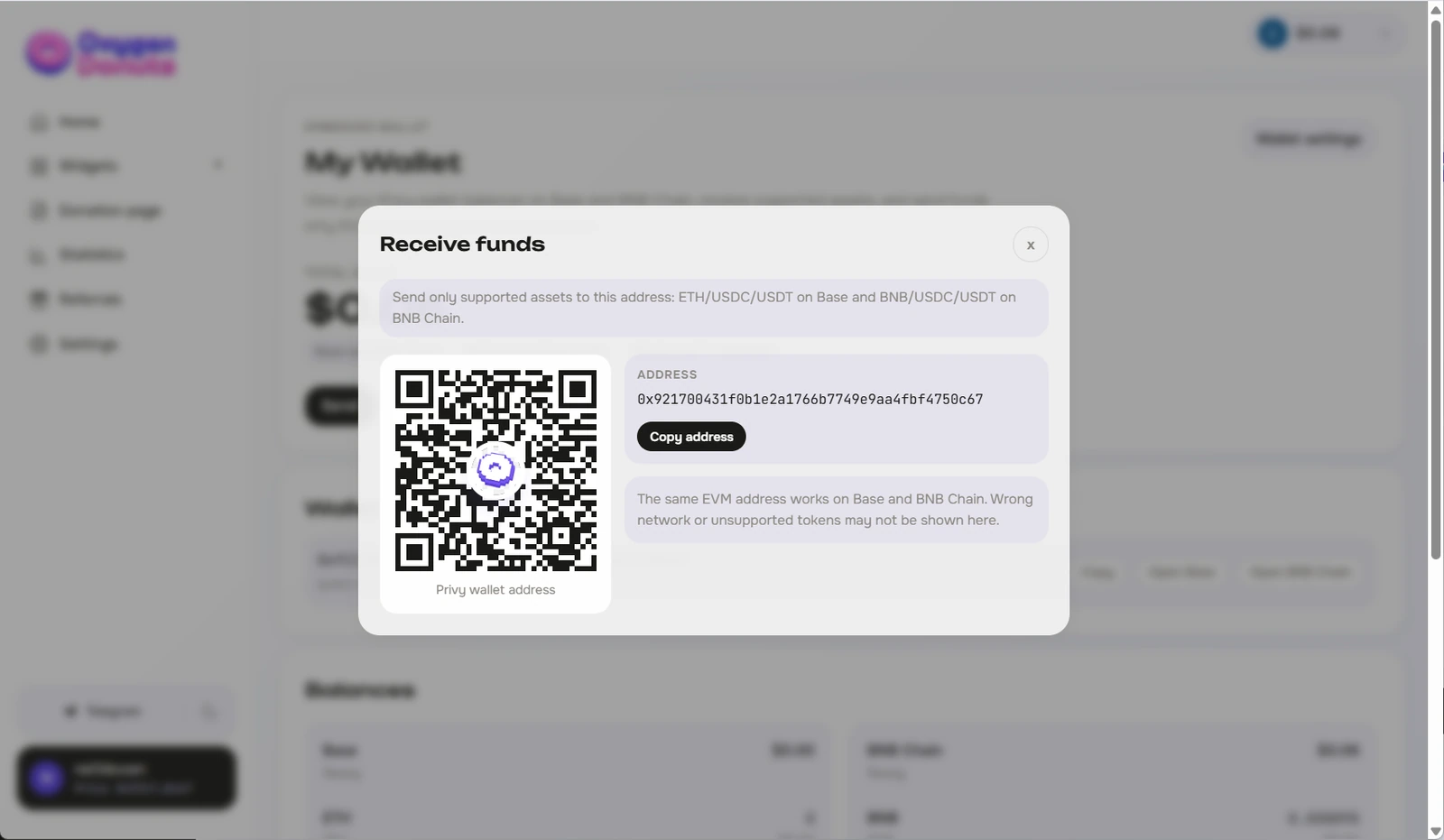
The wallet has an address. It is a long string of letters and numbers. You do not need to memorize it. Oxygen uses this address during setup so donations arrive in the right place. If you show the address in a screenshot, blur the middle part.
Why you do not need to install an extension
Regular crypto wallets often work as browser extensions: Rabby, MetaMask, Trust Wallet, and others. For an experienced user, that is normal. For a beginner, it is an extra barrier. A wallet in Oxygen removes that barrier: you can start with email login and connect your own separate wallet later only if you decide you want to.
If you are not sure whether to create a wallet in Oxygen or connect your own, open the wallet choice guide. It explains both options and the main rule: after registration, the payout wallet cannot be replaced.
What managing donations means
After creating the wallet, you can
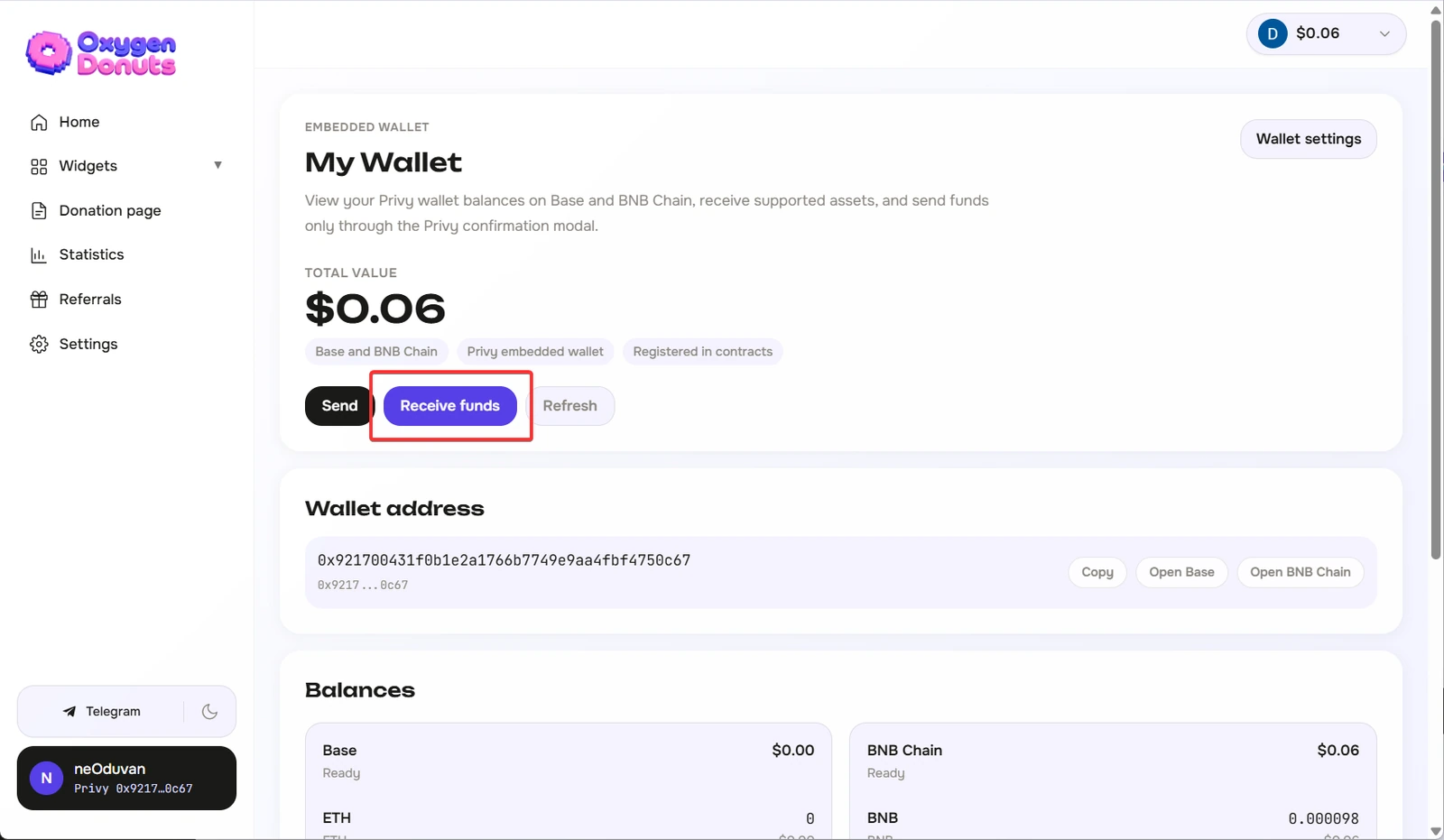
- 1See the wallet address
This is the address that receives supported crypto donations.
- 2Check the balance
On the wallet page, you can see what arrived on supported networks.
- 3Receive donations without manual approval
You do not need to confirm something every time just to receive a donation.
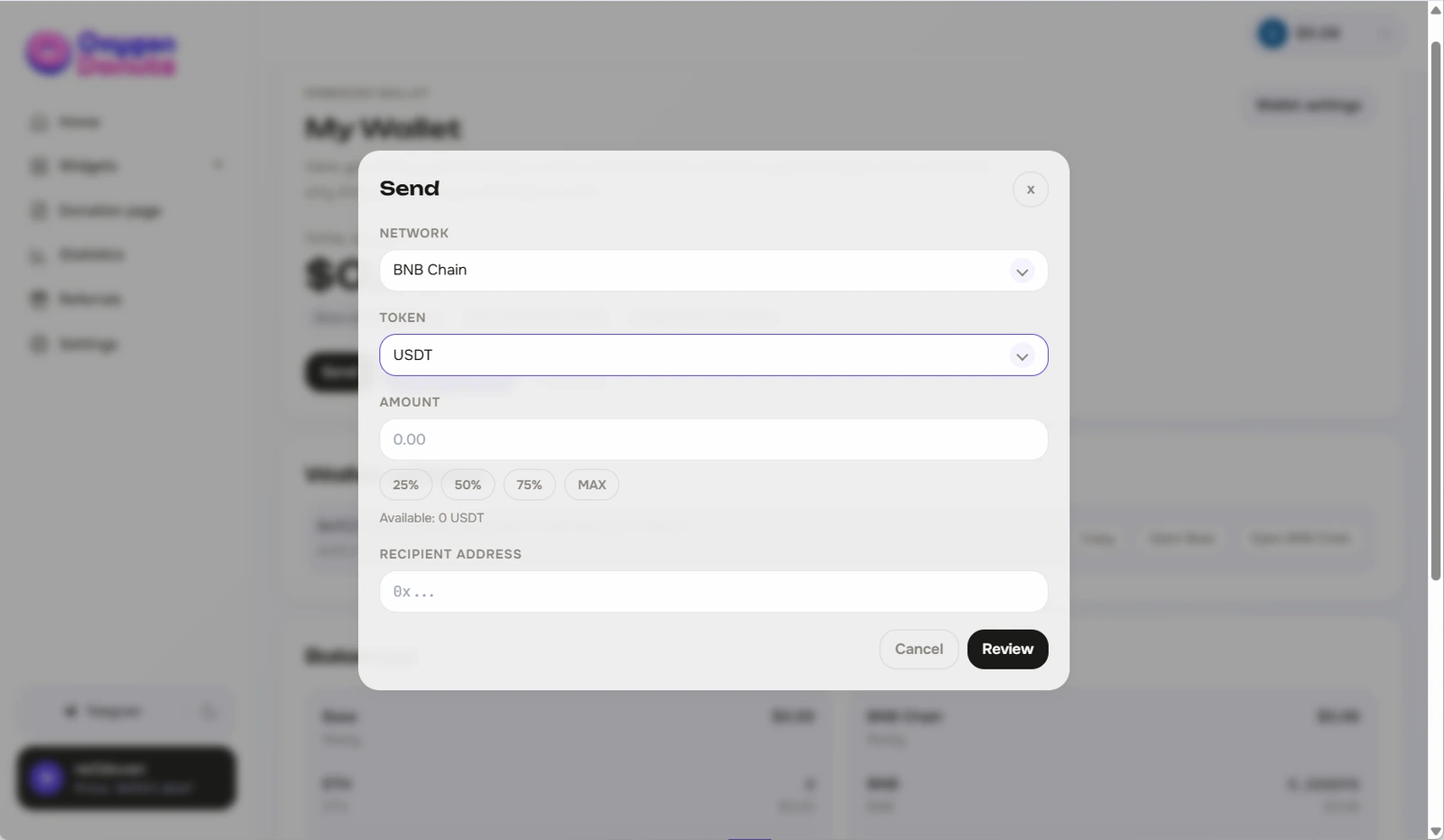
- 4Send funds later
When you need to move funds to another address, that will be a separate confirmed action.
The most important security rule
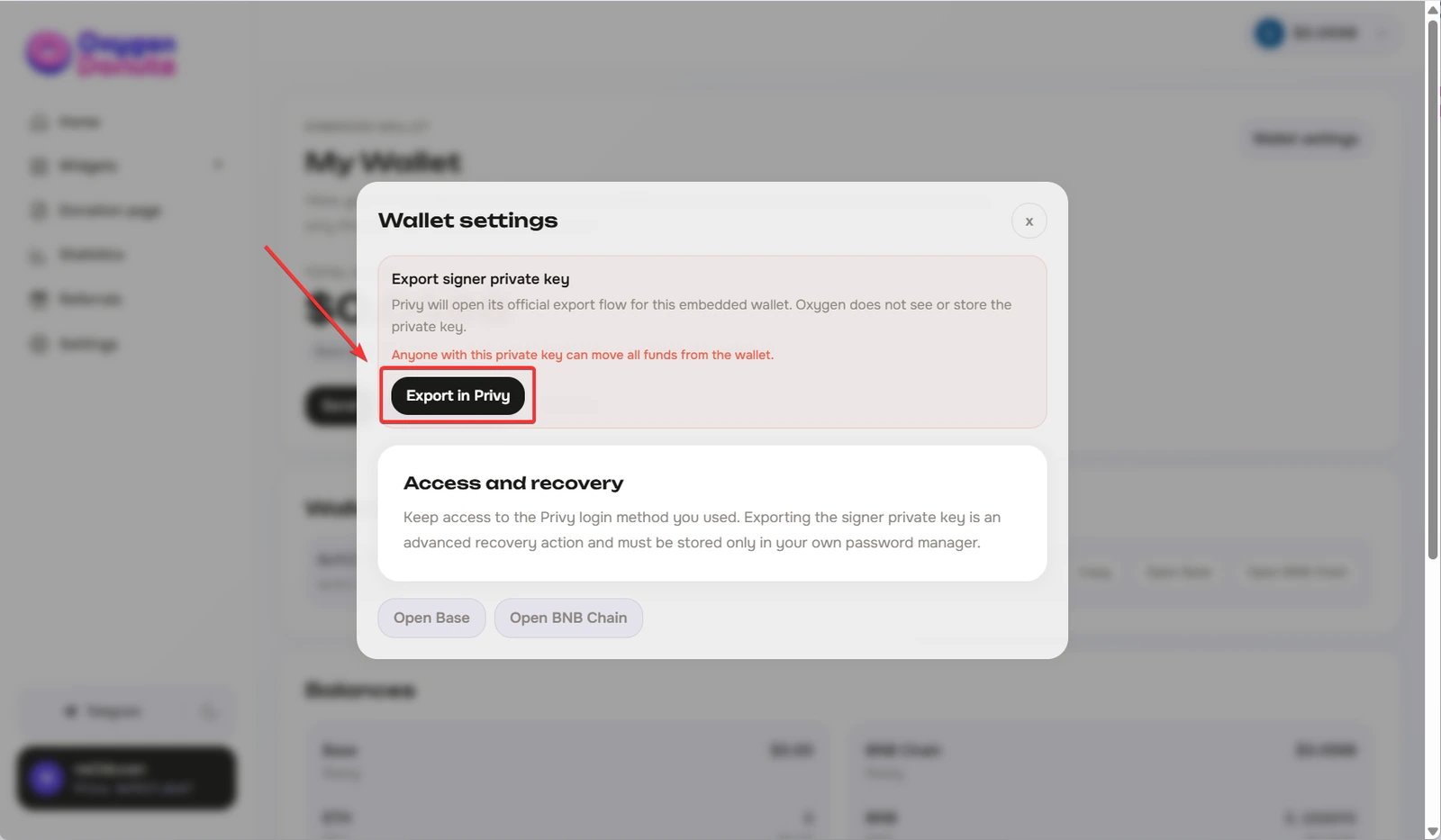
Privy may have a separate key export flow in advanced settings. You do not need it for normal donation receiving. If you do not understand why you need key export, do not use it and do not save secret data in screenshots, notes, cloud documents, or chats.
Who the Oxygen wallet is for
FAQ
- Is a wallet in Oxygen required?
- To receive donations, you need a payout wallet. You can create an embedded wallet in Oxygen or connect your own EVM wallet if you already have one.
- Do I need to understand crypto to create a wallet?
- For the first launch, no. You need to sign in by email, create the wallet, and carefully confirm the choice. More details matter later when you send funds.
- Does Oxygen store my seed phrase or private key?
- Oxygen should not ask for your seed phrase or private key for normal wallet creation and donation receiving. Do not send secret phrases or keys to anyone.
- Why is Privy used here?
- Privy is used as the technical foundation for the embedded wallet and email login. This article is not about Privy as a separate service; it explains the wallet in Oxygen that is created on top of it.
- Can I switch to my own Rabby or MetaMask later?
- After the payout wallet is registered in Oxygen, it cannot simply be replaced with another address. Choose carefully before confirming.
- Do I need to pay a fee to receive donations?
- You do not need to manually pay a fee every time just to receive a donation. A network fee is needed later if you send funds from the wallet.