How the Oxygen Donuts referrals page works
A simple explanation of the Oxygen Donuts referrals page: where to copy your link, how rewards are calculated, what an active streamer means, and how to claim your accumulated rewa
Quick answer
The referrals page helps you invite other streamers to Oxygen Donuts and earn a share of the service fee. You copy your link, send it to a streamer, they sign up and start accepting donations. After that, your reward accumulates on the Referrals page.
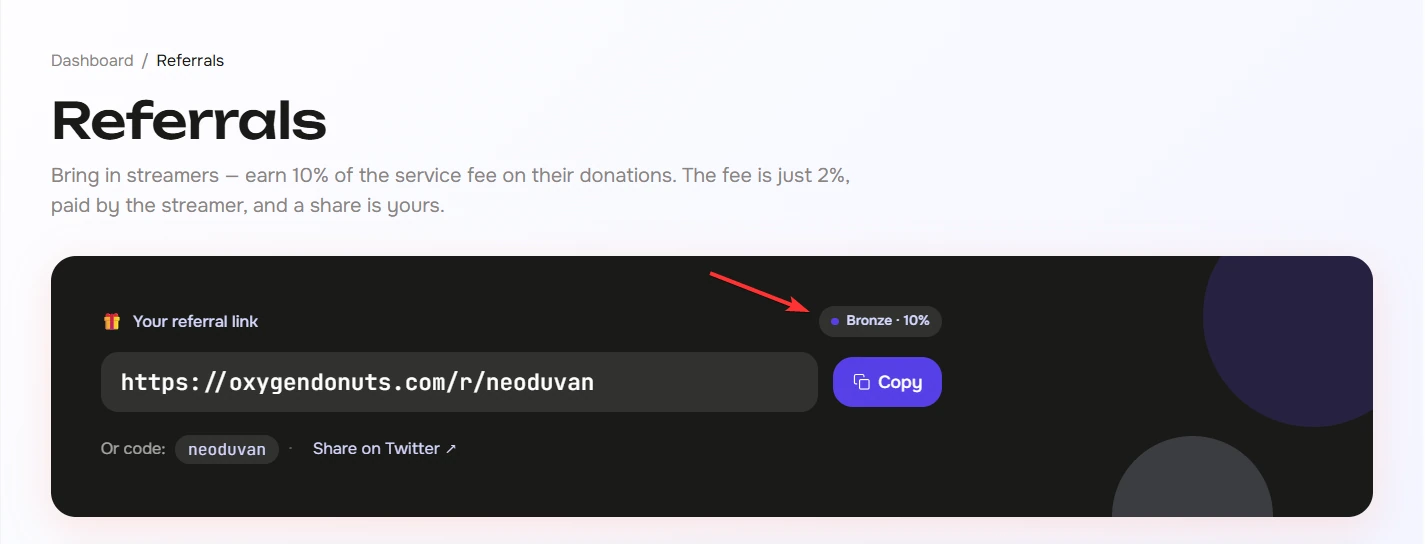
How your link works
The flow is simple
- 1Copy your link
Open the Referrals page and click Copy next to your referral link.
- 2Send it to a streamer
Use a direct message, Discord, Telegram, X, a collab description, or a private team chat.
- 3The streamer signs up through your link
The first click counts. The referral code stays attached for 30 days, and after signup it stays linked to the streamer's account.
- 4They start accepting donations
When the invited streamer receives donations, your share starts accumulating in the referrals dashboard.
How much you earn
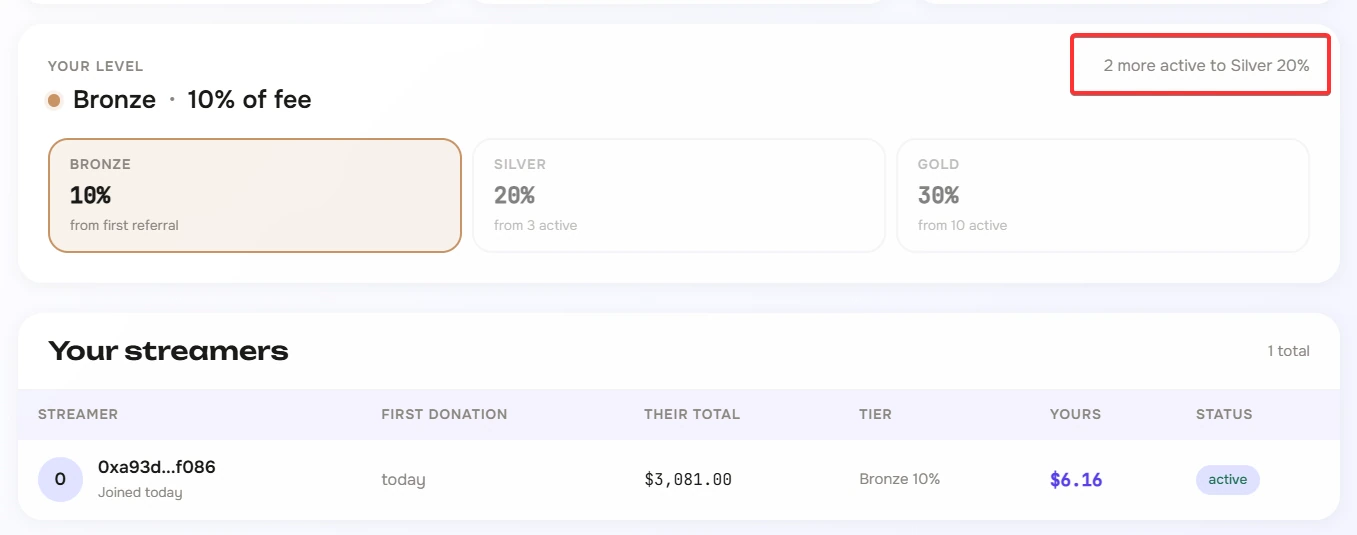
Your rate depends on your level. The more active streamers you bring in, the higher your share of the Oxygen fee. Active streamers and your current level are shown directly on the Referrals page.
| Level | When it starts | Your share |
|---|---|---|
| Bronze | From the first referral | 10% of the Oxygen fee |
| Silver | From 3 active streamers | 20% of the Oxygen fee |
| Gold | From 10 active streamers | 30% of the Oxygen fee |
| What happens | Bronze 10% | Silver 20% | Gold 30% |
|---|---|---|---|
| Donation to the streamer | $100 | $100 | $100 |
| Oxygen 2% fee | $2 | $2 | $2 |
| Your share of the fee | $0.20 | $0.40 | $0.60 |
What to check in the dashboard
The main blocks on the page
- 1Your referral link
This is the link you send to other streamers. It is better to copy the full link instead of typing the code manually.
- 2Available to claim
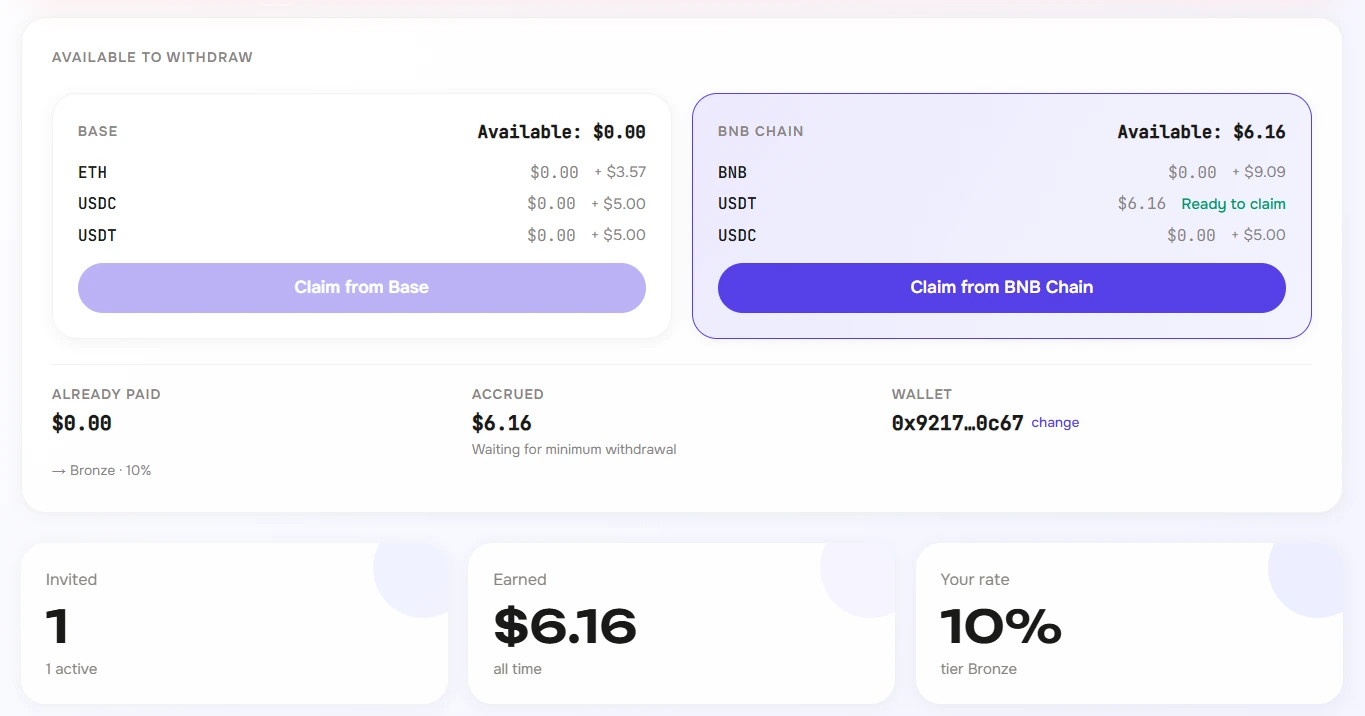
This shows how much you can already claim to your wallet for each network and token.
- 3Invited, earned, rate
This is the quick summary: how many people joined, how much has been earned over time, and which percentage is active now.
- 4Your streamers
The table shows invited streamers, their status, their donation volume, and your share.

How to claim your accumulated reward
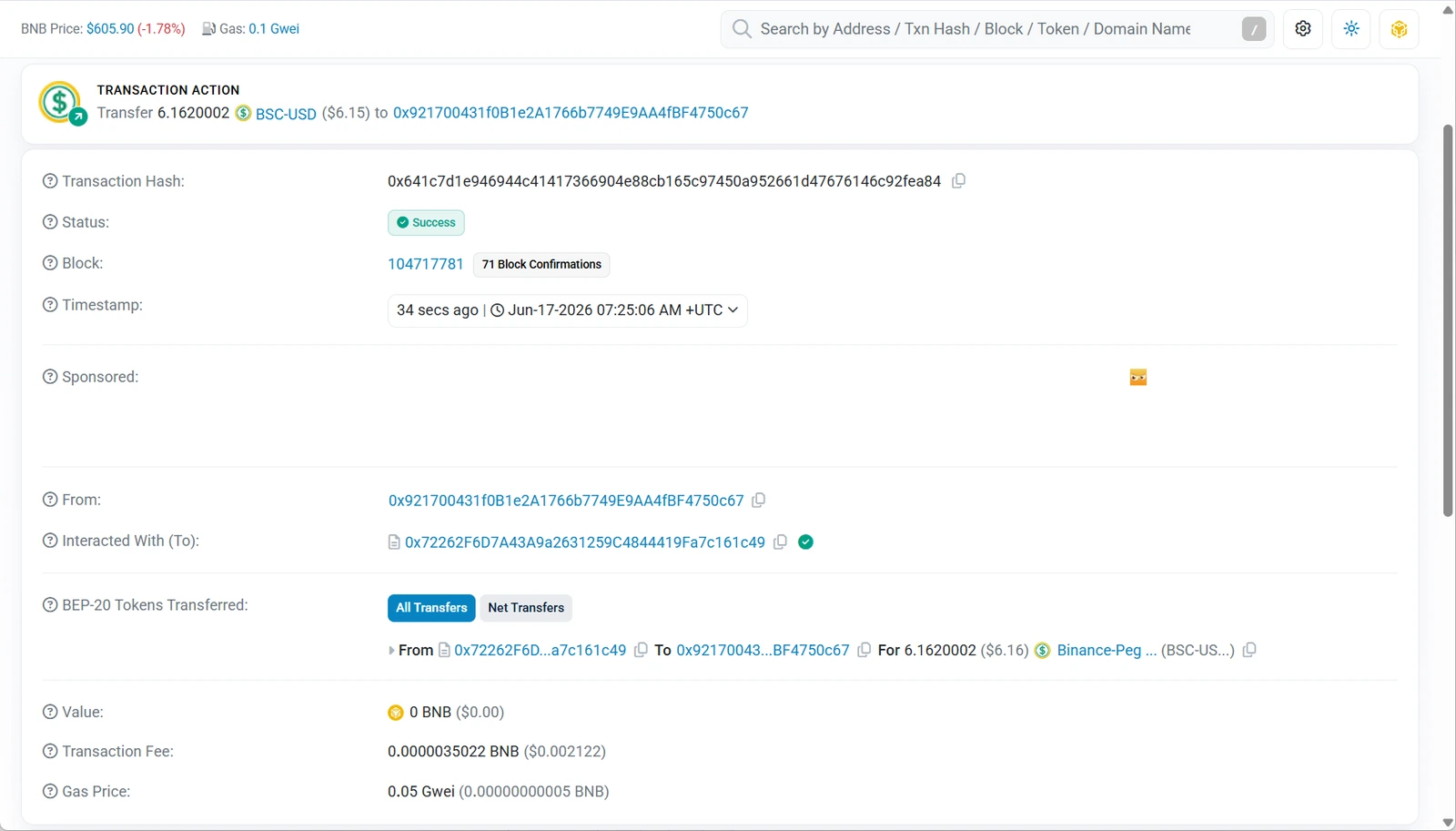
Referral rewards are not paid out automatically. When an amount is available, you click Claim on the correct network, confirm the action in your wallet, and the reward is sent to your wallet.
Claim steps
- 1Check the network
Rewards can accumulate separately on Base and BNB Chain. Claim from the network where you have an available amount.
- 2Check the token
The amount can be in USDT, USDC, BNB, or ETH depending on which donations your invited streamers received.
- 3Click Claim
If the amount is above the minimum threshold, the button becomes available.
- 4Confirm the action in your wallet
Your wallet will ask you to confirm the transaction. You need a small network fee: ETH on Base or BNB on BNB Chain.
Why the claim button may be disabled
| What you see | What it means | What to do |
|---|---|---|
| Nothing to claim | There is no available referral reward yet | Keep sharing your link and wait for donations from invited streamers |
| + $amount | The amount is accumulating, but it is still below the minimum claim threshold | Wait until the minimum is reached for that token |
| You need to switch network | Your wallet is currently on the wrong network | Confirm the network switch in your wallet |
| Claims are paused | Claim is temporarily paused on the system side | Wait until claims become available again |
| Wallet is not connected | The page cannot see an address for claim confirmation | Connect your wallet in settings or in the current session |
Security
You can safely share your referral link with other people. But you should not publish screenshots with your wallet secrets, email, private keys, seed phrase, or personal data. If you make a screenshot for an article or social media, leave visible only the details you are comfortable showing publicly.
FAQ
- Does my referral pay more because of my link?
- No. Your share is calculated inside the Oxygen fee. It is not an extra fee for the invited streamer.
- Who counts as an active streamer?
- In the dashboard, active streamers are invited streamers who have already launched and are accepting donations. Their count affects your tier.
- Why do I have an accumulated amount, but the button will not let me claim?
- Most often, the amount is still below the minimum threshold for a specific token, or you need to switch the network in your wallet. The claim card shows the hint next to the token.
- Does the payout go to a bank card?
- No. Referral rewards are claimed to your crypto wallet. Any later exchange or card withdrawal happens outside this block.
- Why are rewards split between Base and BNB Chain?
- Donations can arrive on different networks. That is why the referral reward is also stored and claimed separately by network and token.
- Do I need a paid subscription to use the referrals page?
- No. The referrals page is available in the Oxygen Donuts dashboard without a separate paid subscription.