Memes in donations: viewers can now send memes right to the stream
Oxygen Donuts now has meme donations: a viewer picks a meme, sends a donation, and the meme appears on stream through a separate OBS overlay. We also added the MemeDonut Telegram b
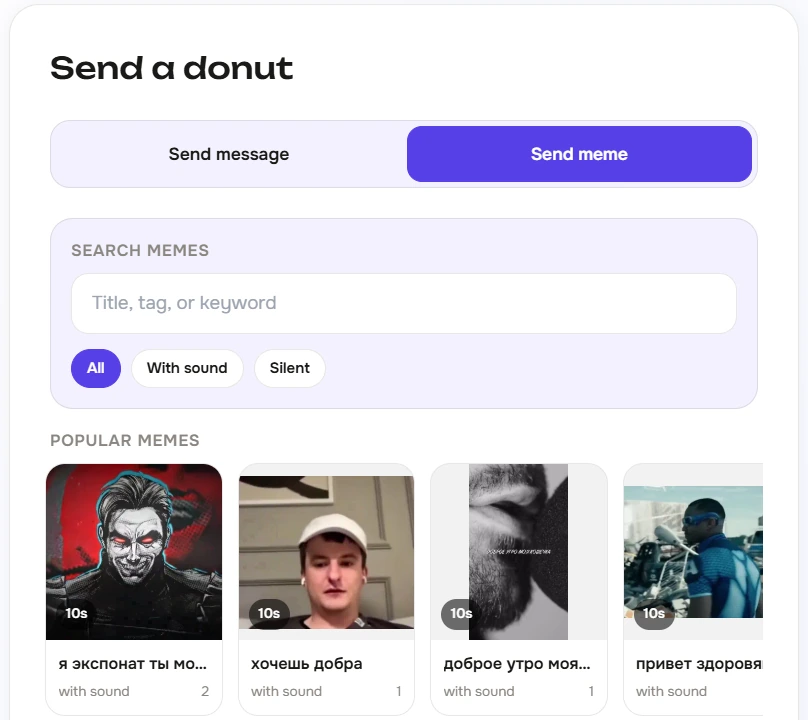
A donation does not have to be just text inside an alert anymore. A viewer can pick a meme, send a donation, and the meme appears right on stream: in a separate OBS layer, in a selected area of the screen, or even fullscreen if the streamer allows it.
This is made for those moments when chat does not want to explain the joke with words and just wants to put it on screen. The meme lands, the streamer sees it, chat wakes up, and the clip basically asks to be made.
What appeared in Oxygen Donuts
| Feature | How it works |
|---|---|
| Memes on the donation page | A viewer opens the streamer's page, selects the meme tab, and sends a meme together with a donation. |
| Separate OBS overlay | Memes are shown through a separate Browser Source in OBS and do not mix with normal donation alerts. |
| Screen placement | The streamer can choose which screen zones are allowed: top, bottom, center, or other positions. |
| Fullscreen memes | If the streamer enables fullscreen, viewers can send more noticeable memes that take over the screen. |
| Custom memes | You can upload your own images, GIFs, and short videos. Before a meme enters the catalogue, it goes through review. |
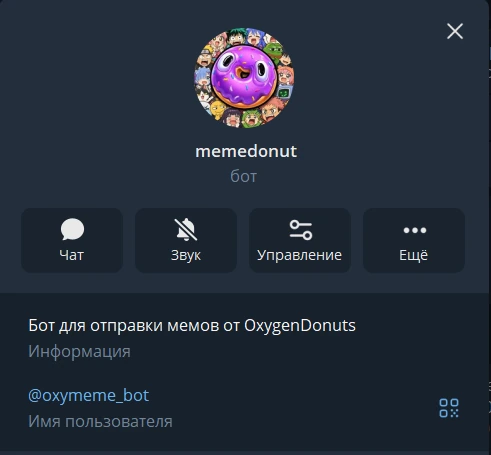
| MemeDonut Telegram bot | Telegram can be used to search memes from the catalogue, send them in chats, and submit custom memes for moderation. |
How it looks for a viewer
It works like a normal donation, just more alive
- 1Open the streamer's donation page
If the streamer enabled memes, a meme tab appears next to the normal message field.
- 2Choose a meme
The viewer picks a meme from the catalogue. If the streamer allows extra options, they can choose placement or fullscreen.
- 3Send the donation
Payment goes through Oxygen Donuts like a normal donation.
- 4See the meme on stream
After the donation is confirmed, the meme appears in OBS on a separate layer.
There is also a Telegram bot for memes
We added the MemeDonut Telegram bot. With it, you can quickly search memes from the catalogue, send them in Telegram chats, and submit your own memes for moderation. It is useful for communities: a meme does not live only on the donation page, it also stays close to chat, where it is easier to find, discuss, and later bring to the stream.
What the streamer controls
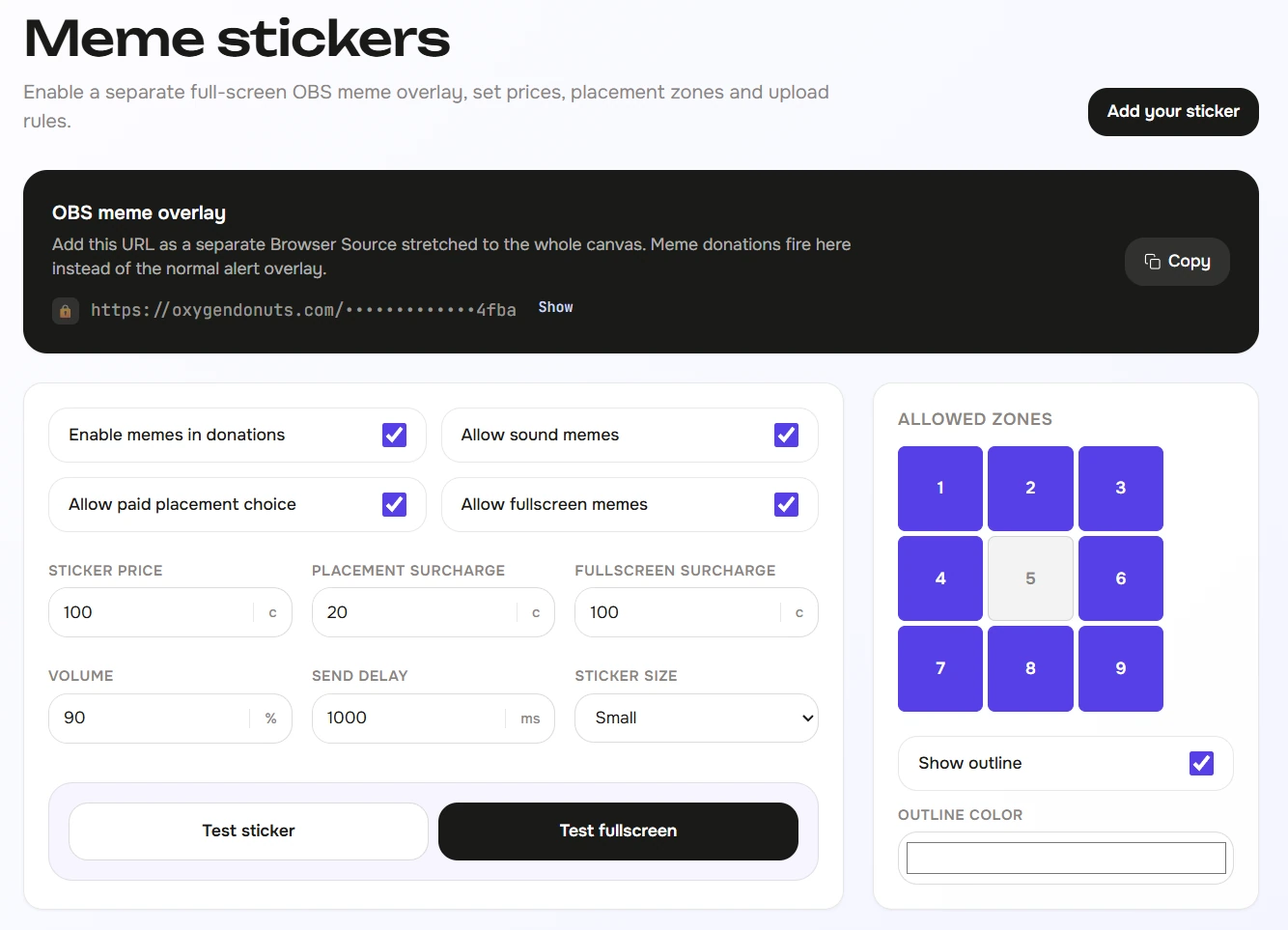
The streamer gets separate meme settings: turn the feature on or off, copy the OBS link, choose size, sound, delay, allowed screen zones, and the price of extra effects. For example, a regular meme can be cheaper while a fullscreen meme can cost more.
Why this hits harder than a normal alert
A meme becomes a moment faster
- A meme is more noticeable than plain text and is easier to read instantly on stream.
- Viewers get a new paid way to interact with the streamer.
- The streamer can price a regular meme, selected screen placement, and fullscreen separately.
- Memes are shown through a separate OBS source, so normal donation alerts stay clean.
- Through MemeDonut in Telegram, the community can search memes and suggest new ones.
- The streamer needs to add a separate OBS Browser Source for memes once.
- Custom memes are reviewed before they appear in the catalogue.
- To send a donation meme to the stream, the viewer uses the streamer's donation page, while the Telegram bot helps with meme search and uploads.
Custom memes can be added too
The meme catalogue is only the start. In Oxygen Donuts, you can upload your own memes: images, GIFs, and short videos. This is especially useful when a channel already has inside jokes, local reactions, or memes that only your chat really understands.
- Does a meme replace the normal donation alert?
- No. Memes are shown through a separate OBS overlay. This keeps memes from breaking normal donation notifications and lets them live as a separate layer on the scene.
- Does the viewer need to install anything?
- No. To donate, the viewer opens the donation page, chooses a meme, and sends the donation as usual.
- What can the MemeDonut Telegram bot do?
- With MemeDonut, you can search memes from the catalogue, send them in Telegram chats, and submit your own memes for moderation.
- Can I upload my own meme?
- Yes. A meme can be uploaded through the dashboard or through the Telegram bot. Before publishing, it goes through review.
- Can fullscreen memes cost more?
- Yes. The streamer can separately set the price for a regular meme, screen placement, and fullscreen format.