Pionex Card: how to spend USDT with a crypto card and what to check before applying
A simple Pionex Card guide for streamers and web2 users: how the card can help you spend USDT, what fees, cashback, KYC, region limits and setup steps to check.
If you accept donations in USDT, sooner or later you run into a simple question: what do you do with that money next? You can keep it in a wallet, move it to an exchange, or use a crypto card and pay with USDT where regular bank cards are accepted.
One option worth checking is Pionex Card. It is not an Oxygen Donuts card and it is not part of our product. It is a separate Pionex service that lets you top up a card balance in USDT and use the card for online and offline payments, if it is available for your region and accepted by a specific merchant.
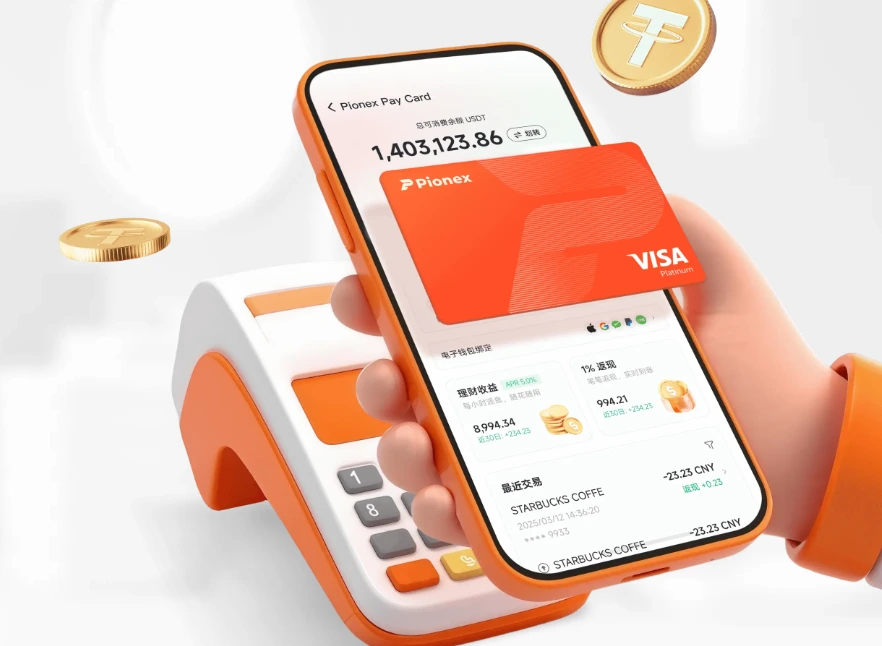
What Pionex Card is in simple words
Pionex Card is a crypto debit card. It does not work like a credit card: first you transfer USDT to a separate card balance, then you pay with the card. Funds are taken from the card account, not from a bank account.
For a web2 user, the simple explanation is this: Pionex Card makes USDT feel closer to regular money for everyday payments. You get a virtual card, card details, the option to add it to Apple Pay or Google Pay, and then you can try paying for online services or NFC purchases.
| Item | What it means |
|---|---|
| Card type | Crypto debit card, not a credit card |
| Main currency | USDT |
| Format | The main current option is a virtual card |
| Payments | Online and offline through supported digital wallets |
| Cashback | Up to 1% under the official program, with rules and exclusions |
| Yield on balance | Pionex states 5% APY on the card account balance |
| KYC | Identity verification and linked email/phone/2FA are required |
| Risks | Fees, regional restrictions, unsupported merchants and compliance checks |
Why this can help a streamer
Crypto donations are useful for streamers because a donation can arrive in USDT, USDC, ETH or BNB without classic payment intermediaries and without the same banking friction. But after receiving the donation, you still need to solve a basic everyday problem: how to spend those funds.
Pionex Card can cover exactly that scenario: you receive USDT, move it to where you can manage the card, and use the card for payments. For example, subscriptions, services, online purchases or offline payments through Apple Pay / Google Pay, if the specific merchant and region are supported.
What is good about Pionex Card
Pros and limitations
- You can spend USDT through a card instead of only holding it in a wallet.
- The official description says there is no separate issuance fee or annual maintenance fee.
- Pionex offers cashback up to 1% under its program.
- Pionex states 5% APY on the card account balance.
- The card can be connected to Apple Pay, Google Pay, PayPal and some other digital wallets.
- For a beginner, this flow is easier to understand than manually cashing out through several exchangers.
- KYC and enabled account security methods are required.
- Pionex Card currently works with USDT, not every token.
- For the Visa version, the official guide mentions an asset threshold above 100 USDT.
- There are fees: for example, a 1% transaction fee, a 2% ATM withdrawal fee and possible failed payment fees.
- Payments depend on merchant policy, merchant country and compliance restrictions.
- This is a custodial flow: funds on an exchange/card account are not the same as funds in your own self-custody wallet.
How to apply for Pionex Card
Basic flow
- 1Register on Pionex
Create a Pionex account. If you want to support this guide, you can register through the partner link.
- 2Complete KYC
Identity verification is required for the card. In the official guide, Pionex mentions KYC Level 2.
- 3Link email, phone and account protection
Pionex requires email, phone number and Google Authenticator. This is needed for security and transaction confirmation.
- 4Check balance requirements
According to the official guide: Pionex Card requires more than 100 USDT in assets, while MasterCard requires more than 10 USDT. Terms can change.
- 5Open the Card section
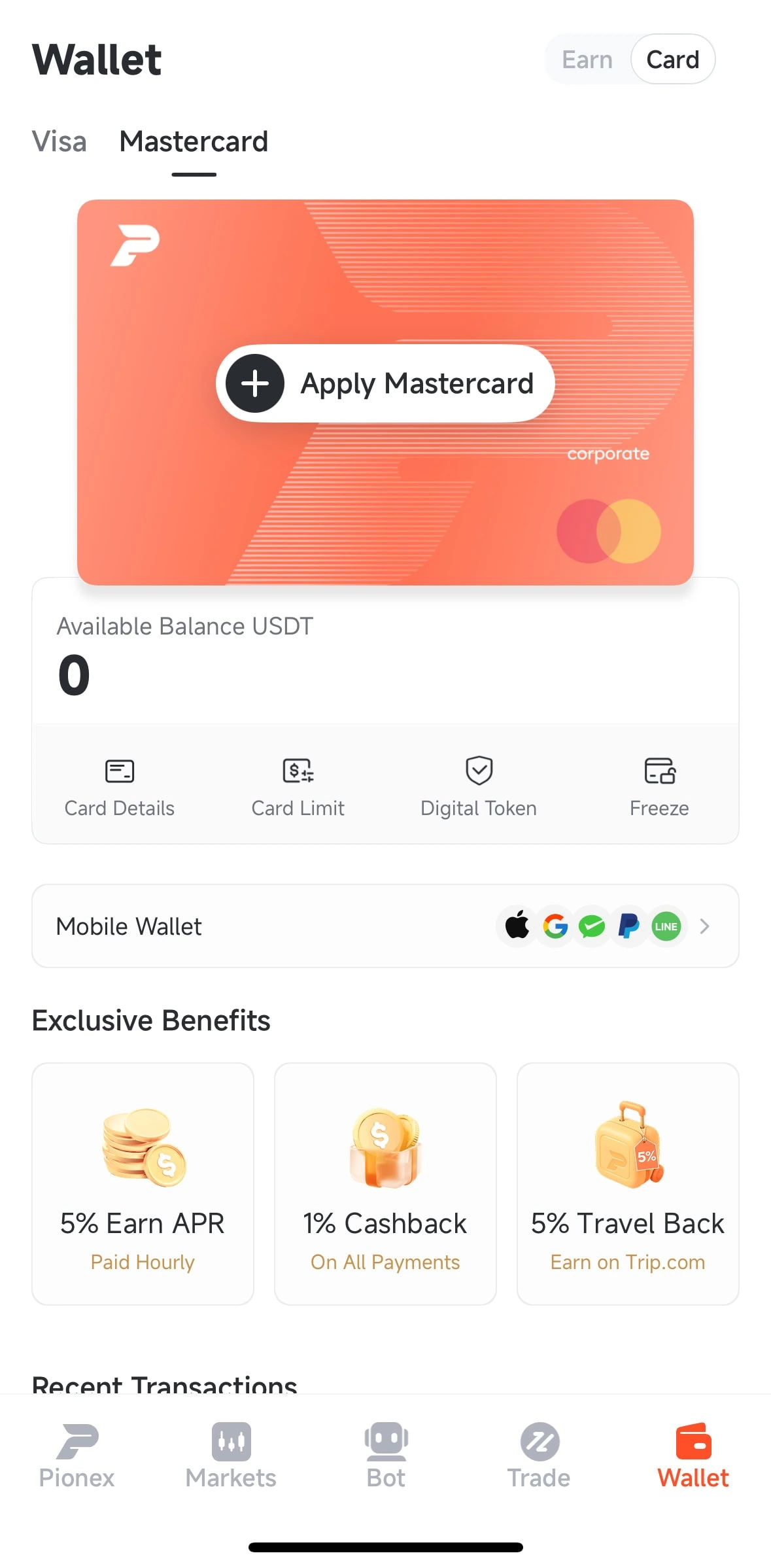
In the Pionex app, go to Wallet → Card, choose the card type and submit your application.
- 6Move USDT to the card account
The card has a separate balance. To pay with it, transfer USDT from your main Pionex account to the card account.
- 7Add the card to a digital wallet
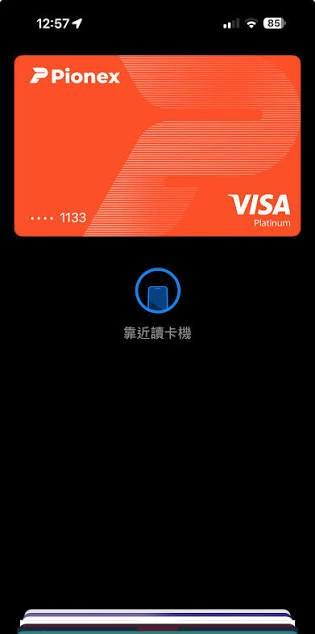
After issuance, you can try adding the card to Apple Pay, Google Pay, PayPal, WeChat Pay or another supported wallet.
- 8Make a test payment
Start with a small purchase. This checks whether the card works with a specific service or merchant.
Fees and cashback: where the nuance is
The main mistake is thinking that cashback automatically makes the card completely free. According to the official Visa Card fee schedule, there is a 1% transaction fee. The cashback program may return up to 1% in USDT, but it has rules, exclusions and Pionex reserves the right to change the terms.
| Parameter | What the official materials say | How to read it |
|---|---|---|
| Transaction fee | 1% | Fee on Visa Card transactions. |
| Cashback | Up to 1% under the program | Can partially offset the fee, but depends on rules and exclusions. |
| Small payment fee | Separate logic may apply for payments ≤ 1 USD | Very small test payments may be less efficient. |
| Failed payment fee | In some cases, 0.5 USDT | Do not endlessly retry unsupported services. |
| ATM withdrawal | 2% | Withdrawing cash can be an expensive scenario. |
| USD/USDT | Pionex states 1:1 | The final cost still depends on fee/cashback/merchant currency. |
Where the card can be used
Pionex says the card can be used at online and offline merchants that accept Visa or Mastercard, and through digital wallets. The official guide mentions Apple Pay, Google Pay, Alipay, WeChat Pay, PayPal and Line Pay, but availability can depend on card type, region, device and the specific merchant.
In a practical scenario, this kind of card is reasonable to test with online services, subscriptions, internet purchases and offline phone payments. For example, in the author's personal test, a ChatGPT payment went through successfully. But that does not guarantee the card will work with every service and in every country.
Regional restrictions
The most important part not to skip: Pionex has restrictions around KYC, phone numbers and payments. The official materials separately list unsupported countries/regions for phone number and KYC verification, as well as restricted countries/regions for merchant transactions.
Especially important: Russia, Ukraine and Belarus are listed among restricted merchant regions for Pionex Card. This does not mean that a user from that country definitely cannot apply for the card. It means that payments to merchants registered or operating in those regions may be declined by the system.
How this connects to Oxygen Donuts
Oxygen Donuts helps a streamer accept crypto donations directly to a wallet. Pionex Card is the next layer: one possible way to spend USDT after you decide to move part of your funds from a wallet to an exchange/card.
It is important to separate these things. Oxygen Donuts does not custody your funds like a bank and does not issue a card. Pionex is a separate service with its own rules, KYC, fees, risks and support. But for a user, the path can be logical: accept a donation → accumulate USDT → if needed, move part of the funds to where they are easier to spend.
- Is Pionex Card a credit card?
- No. According to the official FAQ, it is a crypto debit card. First you transfer USDT to the card account, then the card can use those funds for payments.
- Can I spend something other than USDT?
- The official FAQ says Pionex Card currently supports USDT transfers and spending. Other card currencies are not listed as available.
- Is verification required?
- Yes. The official application guide mentions KYC Level 2, email, phone number and Google Authenticator.
- Is there a physical card?
- Pionex FAQ says the virtual format is currently available and a physical card is planned. For offline payments, Pionex suggests using digital wallets.
- Can I pay in stores?
- Yes, if the card is added to a supported digital wallet and the merchant accepts that payment. The result still depends on region, merchant policy and Pionex restrictions.
- Is this safer than holding money in a wallet?
- This is a different scenario. A self-custody wallet gives you control over the keys, while Pionex Card gives payment convenience but requires trust in the exchange, KYC and compliance with platform rules.