New Twitch Profile Banner Builder
Oxygen Donuts now includes a Twitch profile banner builder: choose a background, mascot and text preset, then download a PNG.
What's new
A Twitch profile banner builder is now available in the Oxygen Donuts dashboard. It helps you quickly create a distinctive part of your Twitch channel design from ready-made presets: choose the options in the builder and download a PNG without editing a design file yourself.
How the Twitch banner builder works
Start by choosing a background, mascot and text preset. The English version has 7 backgrounds, 15 mascots and 10 text options — 1,050 combinations in total. The Oxygen Donuts logo is already included in the layout: this is a ready-made preset builder, not a blank-canvas editor.
The preview updates instantly. Check the result against light and dark backgrounds, browse options with the arrows or choose a random combination. When you find one you like, select “Download PNG” to save the file to your device.
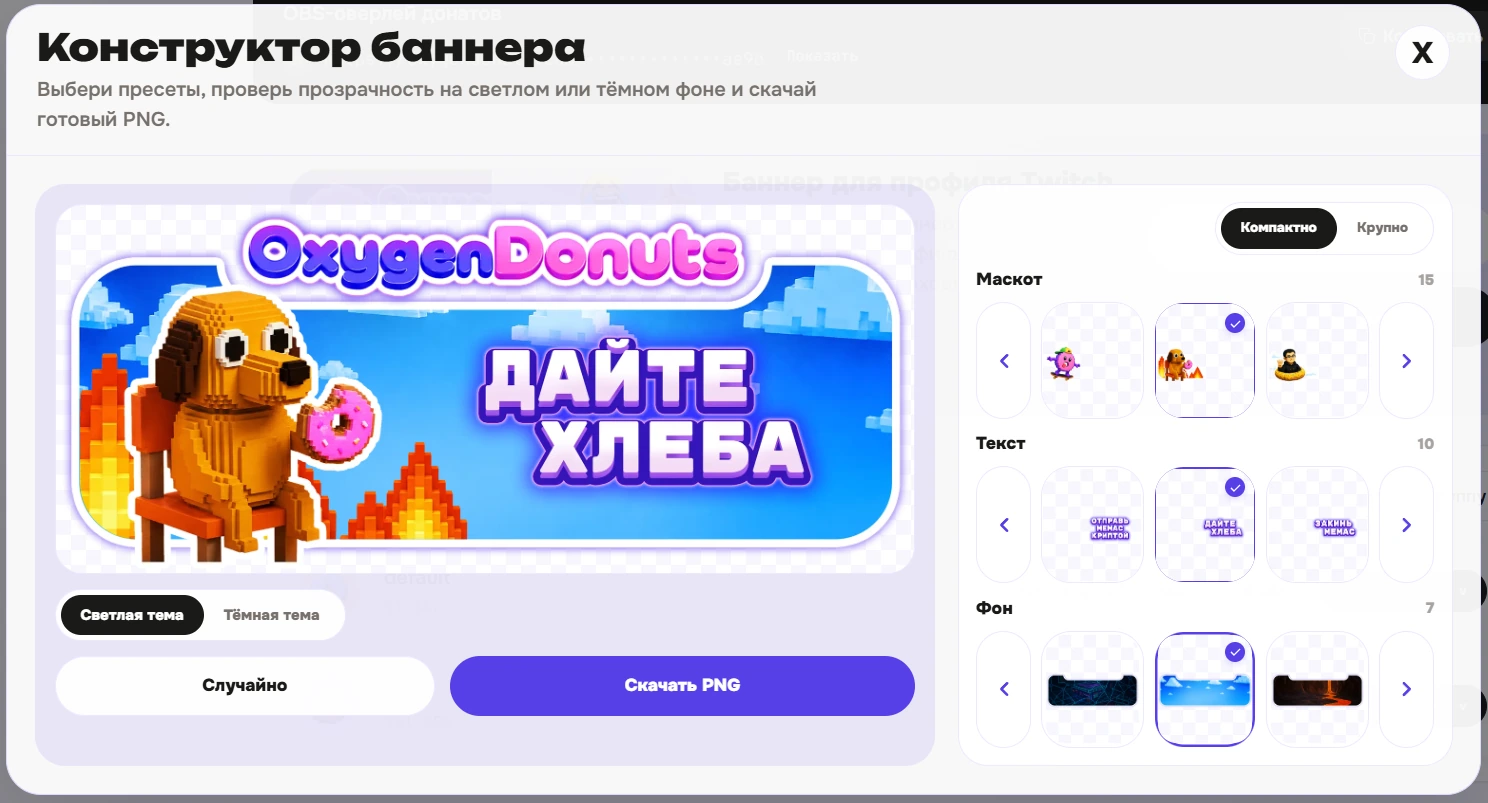
Where to find the builder
Open your Oxygen Donuts dashboard, go to “Widgets → Donations,” and find the “Banner for your Twitch profile” card. Select “Constructor,” create a variation and download the image. Ready-made light and dark banners are still available alongside the new feature.
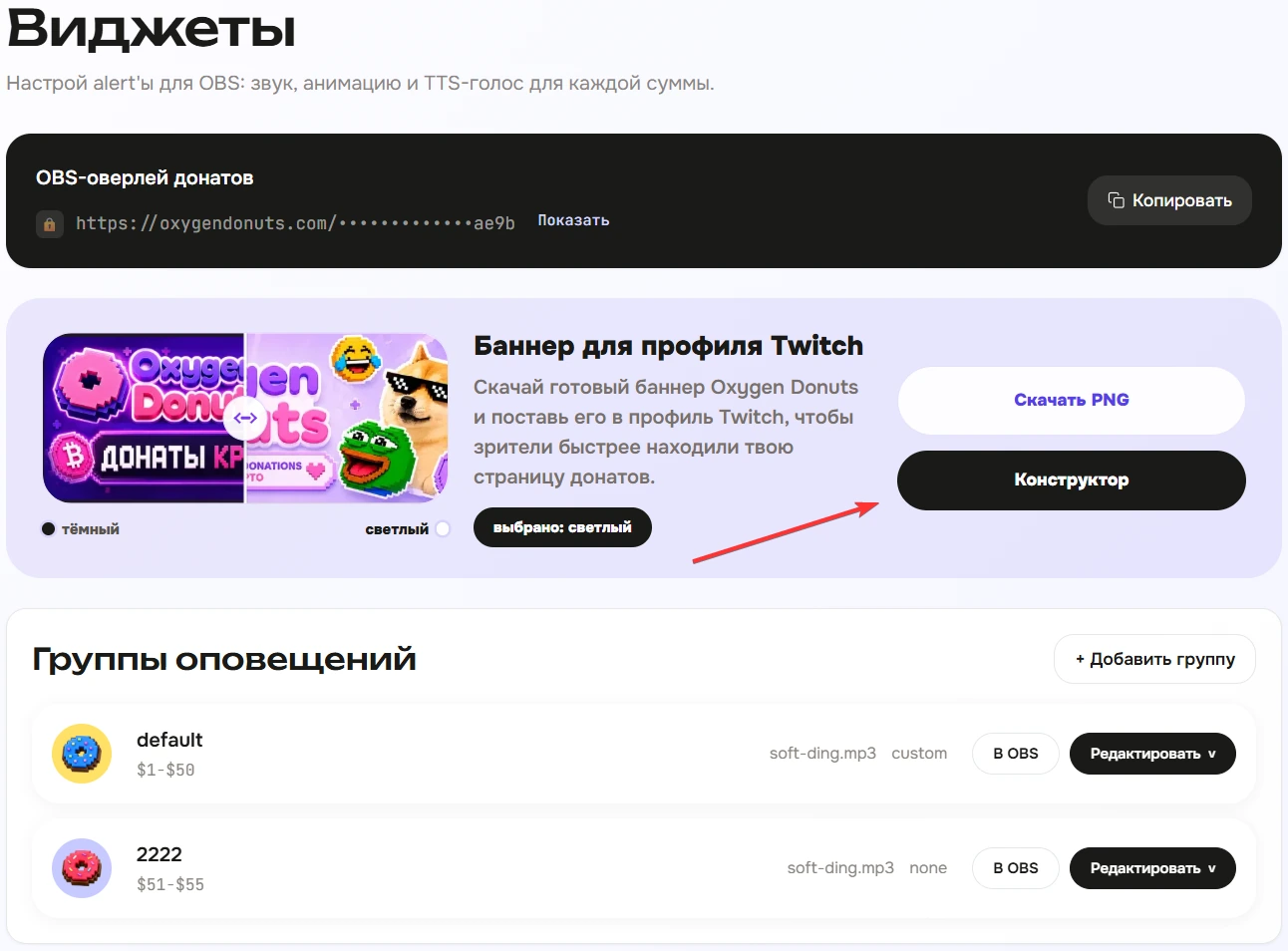
What's next
Your finished PNG is saved to your device. A separate guide will cover the complete process: how to choose a variation, check the final image, and add the banner in Twitch settings. We'll link to it from this article once it is published.
Questions about the new builder
- Is this a builder for your entire Twitch profile?
- No. It currently creates a profile banner only. It does not include an avatar, panels, overlays, or automatic upload to Twitch.
- Do I need to know how to use a graphic editor?
- No. Choose a ready-made background, mascot and text preset; the result appears in the preview immediately.
- Will the banner be added to Twitch automatically?
- No. The builder downloads a PNG to your device; it does not upload the file to Twitch automatically.